
How to check shortened links for safety?
In today’s digital age, shortened URLs have become a staple for social media posts, comments, and other online interactions. These compact links are particularly handy for overcoming character limits on platforms like X (formerly Twitter), blog comments, and deal websites. Additionally, affiliate programs such as Amazon provide users with shortened affiliate links to track and share products. However, the convenience of shortened URLs comes with a potential risk: they can mask malicious destinations. In this blog post, we'll explore how to ensure the safety of these links without actually clicking on them.
Why Shortened URLs Are Useful
Shortened URLs play a crucial role in the digital landscape. They are used in:
- Social Media: Platforms like X and LinkedIn have character limits, making shortened URLs a perfect fit.
- Comments Sections: Blogs and forums often restrict link length, so shortened URLs help users share content easily.
- Marketing Campaigns: Businesses use shortened links to track the performance of their promotional activities.
Despite their usefulness, shortened URLs can also be exploited by malicious actors to disguise harmful websites. Clicking on an unknown or suspicious shortened link can lead to phishing sites, malware, or other threats.
How to Safely Preview a URL Without Clicking
If you’re unsure about a shortened URL, it's best not to click on it directly. Here are some methods to preview and check the safety of these links:
- Hover Over the Link: On a desktop or laptop, hover your cursor over the shortened URL. Most browsers will display a preview of the destination URL in the status bar at the bottom of the screen. If the preview shows a recognizable site like Amazon or Walmart, the link is likely safe. However, this method may not always work for shortened URL
- Use URL Unshortening Services: To safely preview a shortened URL, use online tools designed to expand these links.
Here are five reliable websites where you can check the destination of shortened URLs.
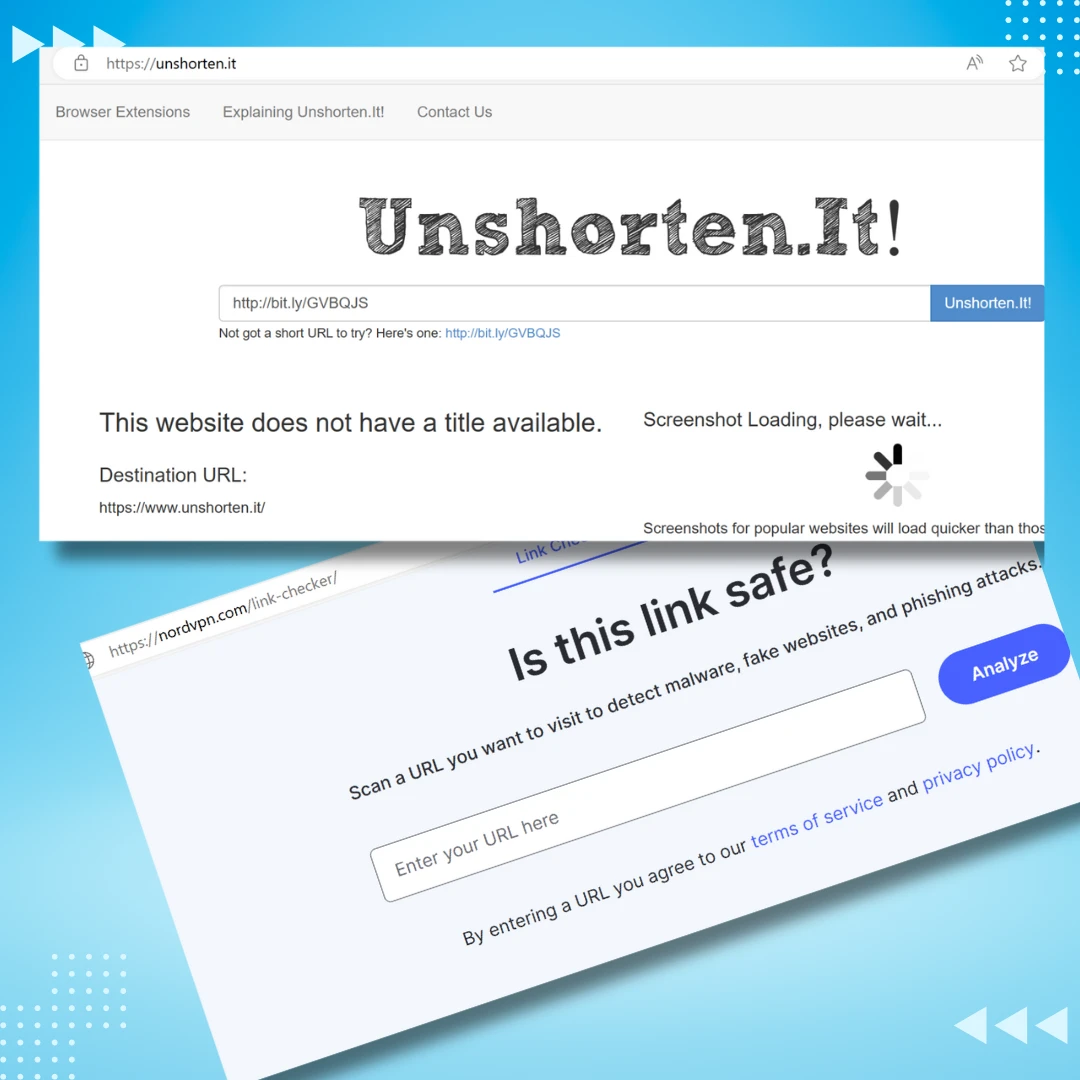
- Unshorten.It: This service reveals the full URL and provides a safety rating for the destination.
- CheckShortURL: This tool expands shortened URLs and displays a preview of the final destination.
- Unshorten.link: Provides a detailed preview of the link and checks it for safety.
- Link Expander: A straightforward tool that reveals and inspects shortened URLs.
- Bitly Unshortener: Specifically useful for Bitly links, but works with other shorteners as well
In addition, you could use one of the free link safety checking tools.
- VirusTotal: Upload the URL to get a comprehensive security analysis.
- NordVPN - https://nordvpn.com/link-checker: Scans the URL for malware and other security issues.
- VirusTotal: Upload the URL to get a comprehensive security analysis.
- Sucuri SiteCheck: Scans the URL for malware and other security issues.
Stay Safe with SuperHotDeals.net
At SuperHotDeals.net, we take your safety seriously. Our dedicated moderators rigorously check every URL posted by users to ensure they lead to clean, safe sites. To maintain the integrity of our deals, we lock a deal from being edited once it goes live, especially if it comes from a relatively new user. Additionally, we employ advanced AI tools to scan deals for accuracy and safety.
The next time you come across a suspicious shortened link, use one of the methods outlined above to check its safety before clicking. By taking these precautions, you can protect yourself from potential threats while enjoying the convenience of shortened URLs.
Stay safe and happy browsing!
SuperHotDeals.net Team.
Safe & moderated
0 Comments
Share your thoughts on this story
Please wait a bit before you can comment on this story again.
0 Comments
Join the conversation